 VeritableRoll
THE MEMBERSHIP OPERATIONS FIELD GUIDE
The GDPR and Operational Risks of Managing 5,000 Association Members on Excel.
One register. Fifteen branches. A renewal deadline. Can your team explain who has the records, which version is current and how each decision was reached?
By VeritableRoll · Published · UK guidance · Fictional worked example
Excel can be part of a well-controlled membership process. There is no UK GDPR rule that bans spreadsheets or makes 5,000 members a legal threshold. The practical question is whether your controls still work when records are copied, officers change and several people prepare the renewal. Buying software does not answer that question on its own.
Where a shared register becomes several registers
Imagine an association with 5,000 members across 15 branches. Head office sends a renewal extract on Monday. A branch officer corrects a surname in their copy. Finance marks a subscription paid in another. On Friday, an administrator merges the files and discovers two rows for the same member, with different renewal statuses.
The team can fix the cells. The harder task is establishing which change was authorised, whether both rows refer to the same membership, and whether the previous decision still needs to be retained. If a former officer also has the Monday extract, correcting the central file has not corrected every copy.
This is an illustrative scenario, not a customer case study or a claim about how often spreadsheet errors occur.
Six risks and the controls to test
Use this table to review the whole process: the workbook, its storage, email attachments, exports, staff access and the handover procedure.
| Risk | What can go wrong | Control to test |
|---|---|---|
| Uncontrolled copies | A full national register is emailed when an officer needs only their branch. | Use an approved shared location with named access. Share only the necessary records and fields. List the exports that still exist. |
| Access after a handover | A departing officer retains a shared password, a public link or a downloaded workbook. | Give people individual accounts. Review access when roles change and include local copies in the handover checklist. A branch filter is not an access restriction. |
| Conflicting identities | Leading zeros disappear; a changed email creates a second person; two branches use the same member number. | Preserve stable person and membership references. Check duplicates and field types, then reconcile source rows against imported records. |
| Unexplained renewal decisions | A cell says “approved”, but the applicable requirement, evidence and reviewer are missing. | Record the rule version, evidence reference, decision date and authorised reviewer. Keep reasons for exceptions separately from the underlying facts. |
| Indefinite retention | Old renewal exports and sensitive free-text notes accumulate in inboxes and shared folders. | Give each record category a purpose, an owner and a justified retention period. Include extracts and archive copies in the review. |
| Untested recovery | The only copy is on one laptop, or a synchronised deletion also removes the apparent backup. | Keep a protected independent backup and exercise a restore. Check the records and access after recovery, including how later deletions are handled. |
A managed Microsoft 365 setup can provide access controls and version history. Check what your organisation has actually configured and what happens to downloaded copies. The government’s spreadsheet guidance also recommends documenting workbooks and checking hidden data before sharing.
For branch workflows, take the access test one step further: can an officer see only the records their role permits? Hiding rows or protecting formulas does not establish that boundary. See our guide to branch submissions and central approval.
What UK GDPR asks of your organisation
Your obligations apply to the personal information and how you use it, whichever tool holds it. The ICO’s data protection principles cover lawful and transparent use, purpose, minimisation, accuracy, retention, security and accountability. Document the lawful basis and purpose for each use, and explain those uses to members.
Keep the information you need, for as long as you need it
A renewal checklist rarely needs an unrestricted explanation of a member’s health or personal circumstances. Decide which fields are necessary before collecting them. The ICO’s data minimisation guidance is a useful starting point.
There is no universal GDPR retention period for a membership register. Set and justify periods for different purposes, review them, and consider relevant legal requirements or holds before deletion. Membership ending does not automatically mean every related record must disappear that day. See the ICO’s storage limitation guidance.
Know how you would find a member’s information
Try a fictional subject access exercise: identify the central record, branch copies and decision correspondence, then decide what is relevant and what needs review before disclosure. Searching the latest workbook alone may miss information held elsewhere. The ICO’s right of access guidance explains the obligations and how to prepare.
Test security and recovery, and plan for an incident
The ICO’s security guidance calls for measures appropriate to the risk, timely restoration of access and regular testing. A backup success notification is useful evidence of a copy; a restore exercise tests whether the team can recover usable records.
If an extract goes to the wrong recipient, contain the incident, preserve the facts and assess the risk to people. Notify the ICO without undue delay and, where feasible, within 72 hours of becoming aware, unless the breach is unlikely to result in a risk to people’s rights and freedoms. High-risk breaches also require informing affected people without undue delay. Use the ICO’s breach reporting guidance and assessment tools.
This is a practical operations guide, not an assessment of your organisation’s compliance. ICO sources were checked on 9 October 2026; consult the current guidance when making a legal decision.
A checklist for the next committee meeting
For each question, record the answer, the evidence, an owner and a next review date. An unanswered question becomes a specific action, rather than a vague instruction to “sort out GDPR”. You can print this page or share this checklist link with the committee.
- Where is the authoritative register? Can two officers independently identify the same current version?
- Who can see and change it? Include branch officers, contractors, shared links and people who have left.
- Where are the copies? Account for email attachments, downloads, exports and backup locations.
- What identifies a person and a membership? Test a leading-zero number, a changed email and someone in two branches.
- Can we explain a renewal? Reconstruct one decision from the rule, evidence, dates, reviewer and any exception.
- What do we retain and why? Check the schedule against actual stored data and document exceptions.
- Can we recover and respond? Record the last restore result and who leads a breach or access request.
- Can the next officer take over? Have a second person follow the documented process without borrowing someone else’s login.
Move without losing the record
If keeping those controls working takes more effort than the renewal itself, test a shared membership workspace. Start with fictional records, then agree a controlled migration with the people who own the source data.
- Keep a protected source snapshot. Agree an export date, stable references and who may access the file.
- Map and review before importing. Check names, member numbers, branches, grades and statuses. Resolve ambiguities rather than guessing.
- Reconcile the result. Compare record counts and exceptions, including rejected rows and people with more than one membership.
- Prove the workflow. Complete one renewal through assessment, review and issuance, then export the result.
- Agree the cutover. Name the authoritative system, notify officers and apply the retention decision to superseded copies.
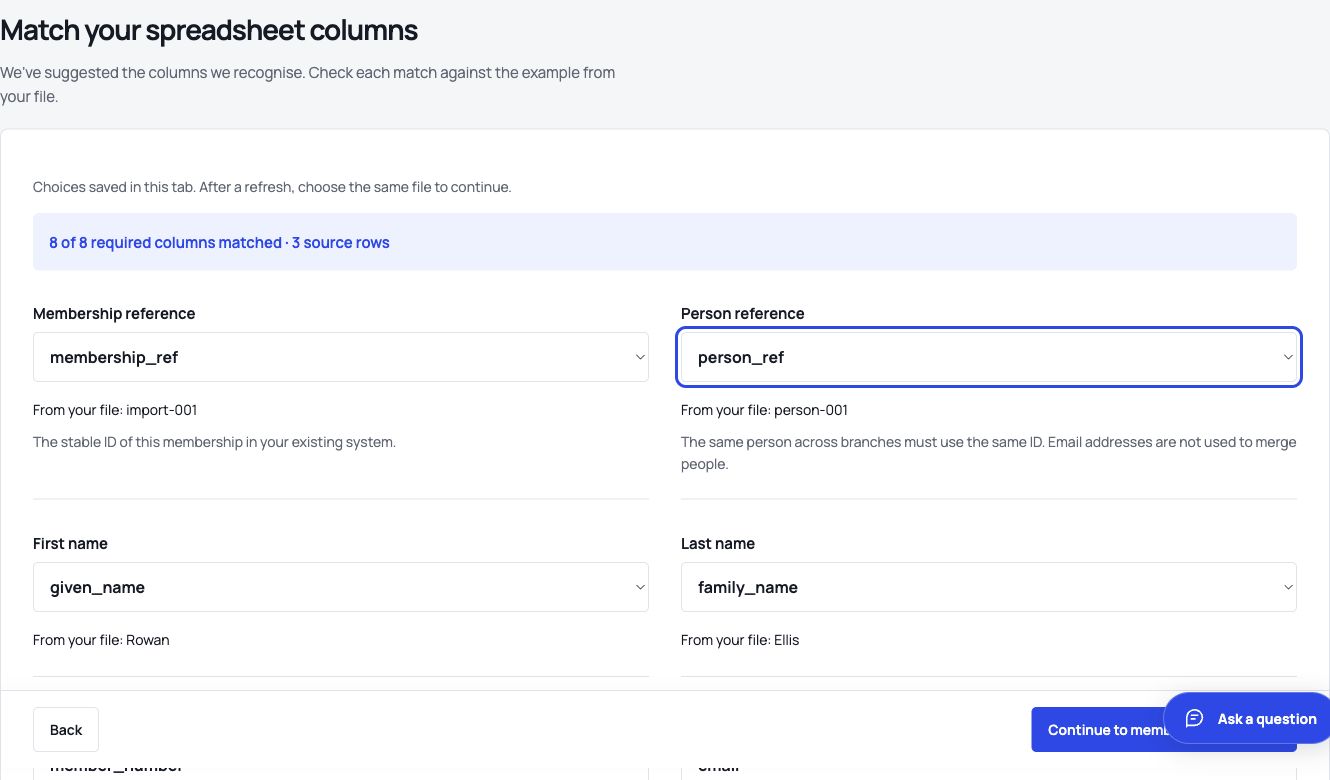
Our worked Excel-to-register guide includes a free workbook and fictional CSV so you can try the mapping and reconciliation steps.
TRY THE WORKFLOW WITH YOUR TEAM
Make the next renewal easier to explain.
VeritableRoll brings imports, scoped branch access and central renewal review into a private organisation workspace. Scheduled encrypted off-host backups are in place, and recovery exercises have restored the application, sign-in and fictional records. These are practical controls to evaluate alongside your own policies and responsibilities.
Start with the guided sample, match a fictional import, review a renewal and export the record. Review our processing terms, permitted data and provider arrangements before importing real records. The current service supports ordinary adult membership data; do not upload sensitive, health, DBS/criminal, children’s or unrestricted document data.
No card required. Nothing charged automatically. The Network plan covers up to 5,000 membership records and 15 branches at £149/month or £1,490/year, plus applicable VAT, if you choose to subscribe. Compare all plans, starting at £39/month.
Published by VeritableRoll, a membership software supplier. The advice and checklist are free to read without registration; the trial is optional.